tapStat · Tracking
GA4 not tracking purchases? A 10-minute check
If GA4 shows visitors but no purchases, or revenue fell to zero overnight, the purchase event isn't arriving or is arriving without its value. Place one test order and follow it through these six checks.
1. Place a test order and watch Realtime
Open Reports › Realtime in GA4 and place a real order on your site (refund it afterwards). Within a minute or two, purchase should appear under event count. If it doesn't, the event never fired. Go to check 3.
2. Check the parameters in DebugView
Turn on debug mode with Google's Tag Assistant and repeat the order. In DebugView (Admin › Data display › DebugView), open the purchase event. It needs:
transaction_id, unique per ordervalue, a number without currency symbolscurrency, a three-letter code such as EUR or USDitems, with at leastitem_idoritem_name
Without value and currency, GA4 counts the purchase but shows no revenue.
3. Check that the thank-you page runs your tag
Most platforms fire purchase on the order confirmation page. If that page changed, the tag may not load there:
- Shopify: the old checkout scripts on the thank-you page no longer run. Purchases must come through the Google & YouTube app or a custom pixel.
- WooCommerce: check that your GA4 plugin is active and that a caching or optimisation plugin doesn't delay or strip its script on the order-received page.
- Custom stores and Tag Manager: check that the trigger still matches the confirmation page URL or the data layer event.
4. Check payment redirects
Customers who pay through PayPal, iDEAL, Klarna, Mollie or a bank app leave your site and may come back on a new session, or not at all. Add the payment providers to Admin › Data streams › Configure tag settings › List unwanted referrals so the returning visit keeps its original source. Purchases from people who never come back can only be recovered with server-side tracking.
5. Check consent
A new or changed cookie banner can block GA4 until the visitor accepts. If purchases dropped the day the banner changed, check that the banner updates Consent Mode correctly and that the GA4 tag waits for it instead of never loading.
6. Check for duplicates
Two integrations (a platform app and a Tag Manager tag) send every order twice. In Explore, build a free-form table with Transaction ID and Purchases. Any ID with more than one purchase is a duplicate.
Catch it the same day next time
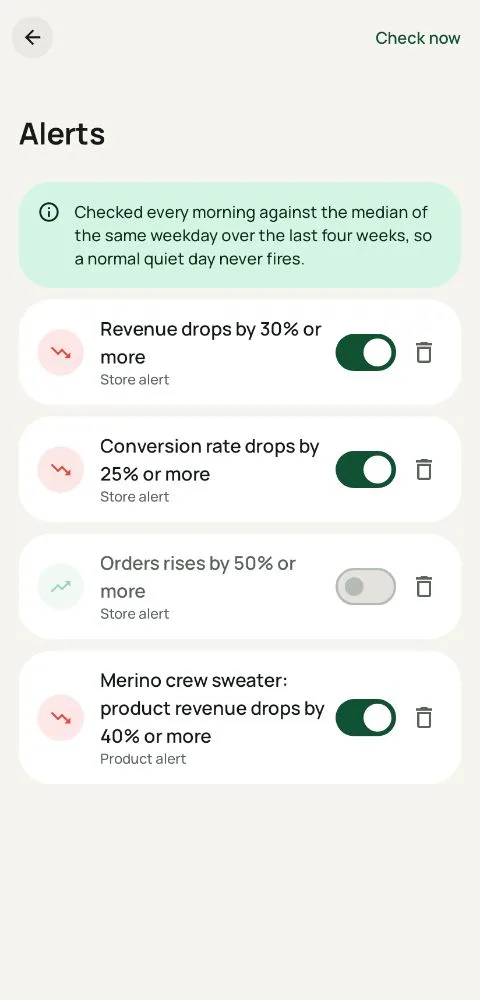
Broken purchase tracking often goes unnoticed for a week, because everyone looks at the store's back office and assumes GA4 is fine. tapStat's free tracking health alerts notify you when purchase data stops coming in, so you lose a day of data instead of a week.
Related: why GA4 revenue doesn't match Shopify and Google Analytics app showing no data.
Questions
Why is my GA4 purchase event not firing?
Usually because the tag doesn't load on the order confirmation page after a platform or theme change, because a cookie banner blocks it, or because the customer never returns from the payment provider.
Why does GA4 show purchases but no revenue?
The purchase event is missing the value or currency parameter, or value is sent as text with a currency symbol. Check the event in DebugView.
Can I recover purchases GA4 missed?
Not in standard reports. GA4 doesn't import missing orders after the fact. Fix the tracking quickly and note the gap.
Don't lose a week of data
tapStat tells you the day purchases stop arriving. Free.