tapStat · Troubleshooting
Google Analytics app not showing data? 8 fixes
Most of the time the Google Analytics app is fine and the problem is the property, the date range or the tracking behind it. Work through these checks in order. The first three solve most cases.
1. You're looking at an old Universal Analytics property
Universal Analytics stopped collecting data in July 2023 (July 2024 for paid 360 properties), and Google has since deleted those properties. If your account still lists an old property, or you saved a shortcut to one, switch to the GA4 property. GA4 property IDs are plain numbers. Old ones started with UA-.
2. The wrong property or account is selected
The app opens on the last property you used. If you have more than one Google account or property, tap the property name at the top and pick the right one. If the property isn't listed at all, your account doesn't have access. Ask the owner to add you in Admin › Property access management.
3. The date range is today, and today isn't processed yet
GA4 can take 24 to 48 hours to fully process a day. Today's numbers are partial, and some reports show nothing for today. Switch to Yesterday or Last 7 days. If those have data, nothing is broken.
4. Revenue shows zero but users don't
Your site sends traffic but not purchases. Check Reports › Monetization › Ecommerce purchases in the browser. If it's empty, your store isn't sending the purchase event, or it sends it without value and currency. Our 10-minute purchase tracking check walks through it.
5. A comparison or filter is still on
A comparison or filter left on from an earlier session can make a report look empty. Clear them and reload.
6. The app is out of date or stuck
Update the app in Google Play. If it still shows errors, clear the app's cache under Settings › Apps › Analytics › Storage, or sign out and back in.
7. "We cannot access the Google Analytics API"
This error usually means a short outage or a network problem. Try again on another network, or open analytics.google.com in your phone's browser. If the website works and the app doesn't, the problem is the app.
8. Tracking stopped on your site
Open the Realtime report and visit your own site. If you don't show up, the GA4 tag isn't loading. A theme update, a new cookie banner or a removed plugin are the usual causes. Fix the tag before anything else, because the data you miss can't be recovered.
When the app works but still isn't enough
Sometimes the data is fine and the app just doesn't answer your questions. That's often the case for store owners. The Google Analytics app is built for every kind of website and app, so it shows a report library rather than today's sales, pace and the reason they changed. It also has no widget.
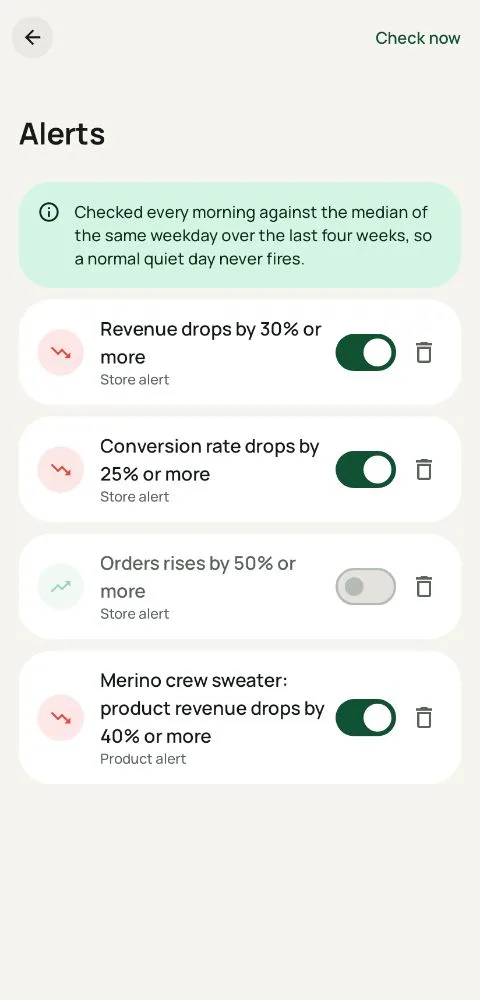
tapStat reads the same GA4 data and opens on revenue. It also watches your tracking: a tracking health alert tells you the day purchases stop arriving, so problem 8 doesn't run for a week before you notice. Read more in the Google Analytics app alternative for stores.
Questions
Why does my Google Analytics app say no data?
Usually because it's showing an old Universal Analytics property, the wrong GA4 property, or today's date range before GA4 has processed it. Switch to your GA4 property and pick yesterday.
Why is revenue zero in the Google Analytics app?
Your store isn't sending the purchase event to GA4, or sends it without a value and currency. Check Ecommerce purchases in the GA4 website and fix the store's GA4 integration.
Is the Google Analytics app still supported?
Yes. Google still publishes the Analytics app for Android and iPhone, and it works with GA4 properties.