
tapStat · Diagnose a drop
Why did my online sales drop?
Every drop in revenue comes from one of three places: fewer visitors, fewer of them buying, or smaller orders. Find which one moved, then find the channel, device or product behind it. That takes about ten minutes in GA4, or one tap in tapStat.
Step 0: is it a real drop?
Before you dig, rule out the three false alarms that cause most panics:
- You compared the wrong days. A Monday against a Sunday, or a normal week against last week's sale. Compare with the same weekday, ideally the median of the last four.
- The day isn't finished, or isn't processed. GA4 keeps updating the last 24 to 48 hours. Conversion rate looks low for recent days until late sessions are attributed. See why GA4 conversion rate dips.
- Tracking broke, not sales. If your store's back office shows normal orders but GA4 doesn't, the problem is tracking. Run the purchase tracking check.
Step 1: split revenue into its three parts
Revenue = sessions × conversion rate × average order value. Put this period next to a fair comparison period and see which of the three moved:
| What moved | What it usually means | Where to look next |
|---|---|---|
| Sessions down | Fewer people arrived: an ad paused or ran out of budget, a ranking dropped, an email didn't go out | Channels and campaigns |
| Conversion rate down | People came but didn't buy: a checkout bug, a payment method down, a price or shipping change, out of stock | Device, browser, landing page, checkout funnel |
| Order value down | People bought less or cheaper: a discount, a best seller out of stock, a free shipping threshold changed | Products and coupons |
Step 2: find the source in GA4
- Traffic. Open Reports › Acquisition › Traffic acquisition, set your dates, click Compare and choose Previous period (match day of week). Sort by the change in sessions. One channel usually explains most of the drop.
- Conversion. Open Reports › Tech › Overview or add a Device category comparison. A drop on one device or browser points to a bug. Then build a funnel exploration from
view_itemtopurchaseto see the step where people leave. - Order value. Open Reports › Monetization › Ecommerce purchases and compare item revenue and quantity per product. Look for a best seller that fell away.
On a laptop that takes ten to fifteen minutes. In the official app, explorations aren't available, so the funnel step needs a browser.
The one-tap version
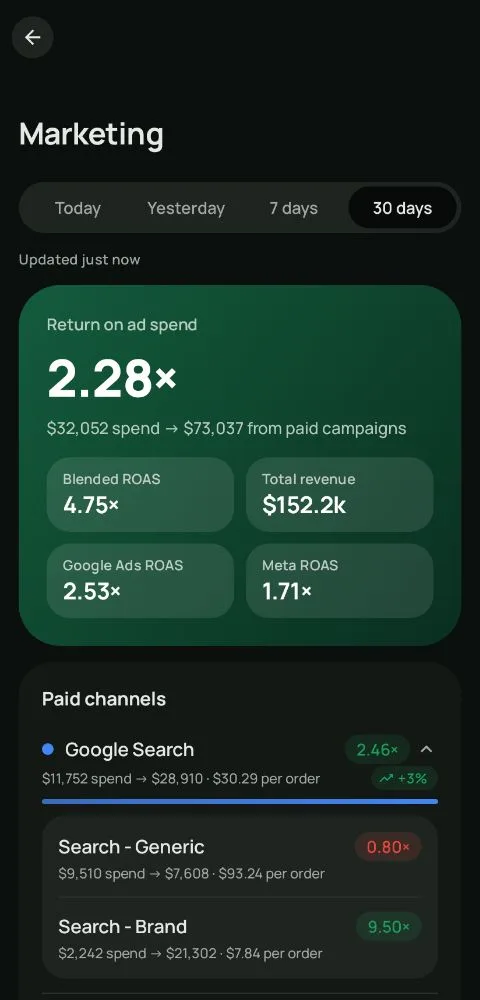
tapStat does those steps for you. Tap any number on the dashboard and Why it changed splits the change into traffic, conversion rate and order value, then shows the channels, devices, countries, landing pages and products that moved most. Every comparison is weekday-aligned, so a quiet Sunday never looks like a crisis. Why it changed is part of Pro.
To catch the next drop before you go looking, turn on sales alerts. They compare each day with the median of the same weekday over the last four weeks.
The usual suspects, by how often we see them
- Paid campaigns paused, limited by budget or rejected.
- A checkout or payment problem on one device or browser.
- A best seller out of stock or removed.
- Tracking broken after a theme, app or cookie banner change.
- A discount or sale ending, so last week's comparison is unfair.
- Seasonality: compare with the same weekday last year (see how).
Questions
Why did my sales drop suddenly?
Check whether sessions, conversion rate or average order value fell. A sudden drop in one day is most often a paused campaign, a checkout or payment bug, or broken tracking.
How do I know if a sales drop is normal?
Compare with the same weekday over the last four weeks rather than with yesterday. If today is below all four, it's worth investigating. If it's within their range, it's normal variation.
Can GA4 tell me why revenue changed?
GA4 shows the pieces, but you have to put them together across several reports. tapStat's Why it changed does that in one screen.
Know why, not just what
Why it changed is one tap away in tapStat Pro, with 4 days free.